Here's the guide you asked for on Instagram 👋
Naver Map in English
- App
- Naver Map (네이버 지도), free on iOS and Android
- Language
- MY → gear icon → Language → English
- Google Maps
- Transit routes only; no turn-by-turn walking or driving in Korea yet (Oct 2026)
- Also in
- Chinese and Japanese, plus Korean
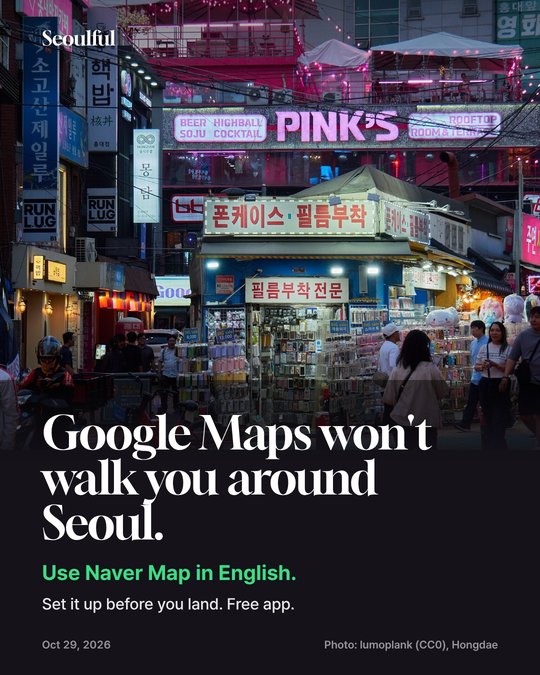
Google Maps in Korea still has no turn-by-turn walking directions in October 2026. Here's how to switch Naver Map to English, read a subway route, and find small shops by their Korean name.
Hongdae, Seoul · Photo: lumoplank (CC0), via Wikimedia Commons
Why Google Maps isn't enough yet
- FEB 2026Korea conditionally approved Google's map data
The government allowed Google to export 1:5,000 map data under conditions such as blurring security sites.
- OCT 2026Walking directions still haven't launched
Google has to finish the government's conditions before the data goes into the app, and told the government it needs considerable development time. Until then you get transit routes but no turn-by-turn walking.
How to set Naver Map to English
- 1Install Naver Map
Search "Naver Map" in the App Store or Google Play. It's free.
- 2Tap MY, then the gear icon
That opens Settings.
- 3Language → English
Most menus switch to English. A few labels and some place names stay in Korean.
- 4Save your hotel and the places you want
Star them before you fly, so directions are one tap away when you land (our tip).
How to read a subway route
- LIVEReal-time arrivals
Transit routes show when the next train comes.
- BOARDWhich direction to board
The route tells you which way to board and, for transfers, the car number for a quick transfer.
- EXITExit numbers are just digits
Seoul subway exits are numbered, so you can follow "Exit 3" even where signs are only in Korean.
Finding small shops (our tips)
- TIPSearch the Korean name
Small cafes and restaurants often show up only under their Korean name. Copy it from Instagram or a blog and paste it into the search (our tip).
- TIPUse the Korean address
If the name doesn't work, paste the Korean address instead (our tip).
Say it in Korean (show this screen)
- Where is exit 3?
Sam-beon chul-gu eo-di-ye-yo?
3번 출구 어디예요? - How do I get here?
Yeo-gi eo-tteo-ke ga-yo?
여기 어떻게 가요? - Is this the right direction for ___ ?
___ ga-neun bang-hyang mat-a-yo?
___ 가는 방향 맞아요?
Local tips
- Google is working on walking directions; check again before a later trip (app menus and rollout can change).
- Keep mobile data on: Naver Map's live arrivals need a connection (our tip).
FAQ
Does Google Maps work in Korea in 2026?
Partly: it shows places and transit routes, but as of October 2026 it still has no turn-by-turn walking or driving directions in Korea.
Is Naver Map available in English?
Yes. Naver Map supports Korean, English, Chinese and Japanese; switch it under MY → gear icon → Language.
Does Naver Map show subway exits?
Seoul subway exits are numbered, and Naver's transit routes show live arrivals and boarding information, so you can follow exit numbers without reading Korean.
Sources: BizWatch: Google map export conditions and service timing (Oct 21, 2026) · Hankyung: Korea allows Google 1:5000 map export (Feb 27, 2026) · NAVER press release: NAVER Map guide for foreign visitors (Dec 30, 2024) · Fizen: Google Maps in Korea 2026 (Oct 27, 2026)